
To create a digital business card, you'll need to select a platform like HiHello, Switchit, or Canva that matches your needs for customization and sharing capabilities. Start by gathering your essential contact information, professional headshot, and brand elements. Design your card with a clear visual hierarchy, placing your name and title prominently while maintaining 40% white space for readability. Include interactive elements like direct contact buttons, social media links, and a compelling 50-100 word professional bio. Share your card via QR codes, email signatures, or text messages, and track engagement through platform analytics. The following sections break down each step in detail to help you craft the perfect digital business card.
Key Takeaway
- Choose a digital business card platform that matches your needs, considering customization options, analytics features, and sharing capabilities.
- Design your card with a clear visual hierarchy, placing your name and title prominently while maintaining 40% white space.
- Add essential contact information, professional bio, and interactive elements like social media links and calendar scheduling options.
- Create a QR code for your digital business card to enable easy sharing at networking events and in-person meetings.
- Test your digital business card across multiple devices to ensure proper display and functioning of all interactive features.
Benefits of Digital Business Cards
Digital business cards offer considerable advantages over their paper counterparts in today's increasingly connected world. You'll find that these modern networking tools enhance your professional presence while reducing environmental impact and storage concerns.
Key Benefits:
- Instant Updates
- You can modify contact information, job titles, or company details in real-time
- Your connections always have access to your current information
- You won't waste money reprinting outdated cards
- Enhanced Content
- Include links to your portfolio, social media profiles, and website
- Add videos, photos, and interactive elements
- Share detailed work samples directly through your card
- Improved Analytics
- Track when recipients view your card
- Monitor which links get the most engagement
- Measure networking effectiveness with concrete data
- Cost and Environmental Impact
- Eliminate printing and shipping expenses
- Reduce paper waste considerably
- Save storage space in your wallet or office
- Seamless Sharing
- Share your details via QR code, text, or email
- Connect instantly through direct integration with contact lists
- Exchange information even in virtual meetings
These digital advantages guarantee you'll stay relevant in an evolving business landscape while maintaining efficient, sustainable networking practices.
Choosing the Right Platform
Professionals face numerous options when selecting a digital business card platform, making it crucial to assess key features that align with your networking goals. To simplify your selection process, focus on these critical factors:
Key Platform Features to Take into Account:
- Customization capabilities – Look for platforms offering flexible design options, including brand colors, logos, and multimedia integration
- Integration potential – Confirm compatibility with your current CRM systems and other business tools
- Analytics tracking – Select platforms that provide insights into card views, clicks, and engagement metrics
- Sharing methods – Choose platforms supporting multiple sharing options like QR codes, SMS, or direct links
Popular Platform Categories:
- All-in-one solutions (HiHello, Switchit) – Offer extensive features with established market presence
- Design-focused platforms (Canva Digital Cards) – Prioritize visual aesthetics and creative freedom
- CRM-integrated options (HubSpot, Salesforce) – Seamlessly connect with existing business systems
When evaluating platforms, you'll want to reflect on your budget, technical requirements, and scalability needs. Most providers offer free trials, so you can test their interfaces and features before committing to a subscription plan.
Essential Design Elements
A well-designed business card serves as your digital handshake in today's virtual networking landscape. When creating your digital business card, you'll need to incorporate key design elements that make your card both professional and memorable, while ensuring it remains easily scannable and shareable across platforms.
To create maximum impact with your digital business card, focus on these essential design elements:
- Visual Hierarchy – Position your name and job title prominently at 30% larger than other text elements, and use consistent spacing of 1.5x line height for ideal readability
- Color Scheme – Select 2-3 complementary colors that align with your brand identity, keeping contrast ratios at 4.5:1 or higher for accessibility standards
- Typography – Choose no more than two font families, with one for headers and another for body text, ensuring they're web-safe fonts that display correctly across devices
- Content Layout – Structure information in scannable sections with clear headers, maintaining 40% white space to prevent visual clutter
Remember to test your design across different devices and screen sizes, as 73% of business professionals now view contact information on mobile devices first.
Crafting Your Professional Bio
Your professional bio serves as the cornerstone of your digital business card, offering visitors a compelling snapshot of who you are and what you bring to the table. To craft an impactful bio, focus on these key components:
Professional Background
- Start with your current role and industry expertise
- Include up to three significant career achievements
- Highlight specialized certifications or advanced degrees
Key Elements to Include:
- Value proposition (what you can do for others)
- Industry specialization (2-3 core focus areas)
- Years of experience in your field
- Notable accomplishments with measurable results
Writing Tips:
- Keep your bio between 50-100 words for digital cards
- Use action verbs to describe your capabilities
- Include relevant keywords for your industry
- Update achievements quarterly to maintain relevance
Remember to maintain a professional yet approachable tone while showcasing your expertise. You'll want to strike a balance between confidence and authenticity. Focus on outcomes rather than duties, and consider including a brief statement about your professional philosophy or approach to demonstrate your unique value proposition.
Adding Interactive Features
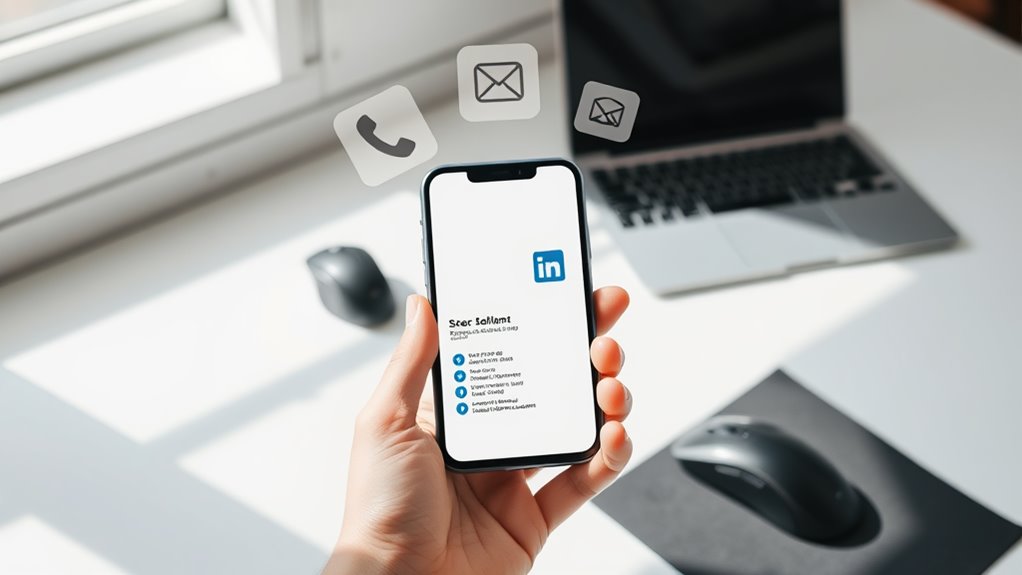
Interactive features transform static digital business cards into dynamic networking tools that engage viewers and facilitate instant connections. By incorporating clickable elements and smart functions, you'll create a more compelling and efficient networking experience that sets you apart from traditional approaches.
When building your digital card, consider these essential interactive elements:
- Direct contact triggers that launch email clients, phone calls, or messaging apps with a single tap, reducing the friction in communication initiation
- Social media integration buttons that connect to your LinkedIn, Twitter, or Instagram profiles, allowing instant professional network expansion
- Calendar scheduling links that enable quick meeting setup through platforms like Calendly or HubSpot, streamlining appointment coordination
- QR code generation capabilities that let others scan and save your information instantly, ideal for in-person networking events
You'll want to guarantee each interactive element serves a clear purpose and enhances your card's functionality. Remember to test all features across different devices and platforms to maintain consistent performance. Position your most important interactive elements prominently, and keep the design clean to prevent overwhelming your contacts with too many options.
Distribution and Sharing Methods
Effectively sharing your digital business card requires strategic distribution methods that maximize its reach and impact. Today's digital landscape offers multiple channels for distributing your electronic credentials, and you'll want to leverage each one appropriately.
Primary Distribution Methods:
- QR Code Sharing
- Print QR codes on physical materials
- Add to email signatures and presentations
- Display on conference materials or booth displays
- Direct Digital Transfer
- Near Field Communication (NFC) enabled sharing
- SMS or email delivery
- Instant messaging platforms
- Online Platforms
- LinkedIn profile integration
- Company website embedding
- Social media bio links
Best Practices for Sharing:
- Configure auto-response systems to include your digital card
- Create a dedicated landing page with your card's download link
- Enable one-click saving to contacts
- Include sharing instructions in your email footer
Remember to track your card's distribution analytics, which typically show a 60% higher retention rate compared to traditional business cards. You'll want to update sharing methods quarterly to maintain effectiveness and incorporate new technology trends as they emerge.
Tracking and Analytics
Digital business card analytics provide invaluable insights into how recipients interact with your professional information. By leveraging tracking capabilities, you'll understand when and how your contacts engage with your digital card, helping you optimize your networking strategy and measure your card's effectiveness.
Modern digital business card platforms offer sophisticated tracking features that let you monitor various engagement metrics:
- View tracking: See exactly when someone opens your card and how many times they've accessed it, helping you gauge interest levels and timing for follow-ups
- Click-through rates: Monitor which links, social profiles, or contact methods your recipients click most frequently, allowing you to prioritize the most effective connection points
- Geographic data: Track where your card is being viewed globally, enabling you to understand your networking reach and adapt your approach for different markets
- Contact downloads: Measure how many people save your information to their devices, giving you concrete data on conversion rates
You can access these analytics through your digital business card platform's dashboard, where you'll find detailed reports and real-time updates that help inform your networking decisions.
Conclusion
Why stick with traditional paper cards when the digital world offers so much more? Creating your digital business card isn't just about staying current – it's about maximizing your networking potential. You've now got all the tools to design, customize, and share your professional digital presence effectively. Take action today by choosing your platform, crafting your content, and leveraging interactive features to make meaningful connections in our increasingly digital business landscape.