
Your iPhone comes equipped with several built-in digital business card features. The native Contacts app lets you generate QR codes for instant sharing, while iOS 17's NameDrop enables contact exchanges by bringing two iPhones close together. You'll also find seamless integration with Apple Wallet for storing and sharing digital business cards, plus AirDrop capabilities for quick transfers to nearby devices. While the built-in options work well, third-party apps like HiHello and Switchit offer additional features such as custom branding and analytics tracking. Exploring these tools will help you maximize your professional networking potential.
Key Takeaway
- iPhones support digital business cards through built-in features like NameDrop in iOS 17 and third-party apps like HiHello and Switchit.
- Apple Wallet can store and display digital business cards through .pkpass files and QR code scanning functionality.
- The native Contacts app allows users to create and share digital contact cards via AirDrop, Messages, or email.
- iOS 17's NameDrop feature enables proximity-based digital card sharing between compatible iPhones by bringing devices close together.
- Users can generate QR codes directly from the Contacts app to share digital business card information instantly.
Native Iphone Contact Sharing Methods
When sharing contact information on your iPhone, you'll find several built-in methods that don't require third-party apps. These native solutions leverage Apple's ecosystem to streamline your professional networking efforts.
Primary Sharing Methods:
- AirDrop: Simply select your contact card and instantly beam it to nearby Apple devices
- Messages: Send your contact details through iMessage or SMS to any phone number
- Mail: Email your contact information as a .vcf file attachment
- QR Code: Generate a scannable code for your contact card through the Contacts app
Advanced Features:
- Name Card Sharing: Create a personalized contact card with select information you want to share
- Contact Posters: iOS 17 introduces customizable visual layouts for your contact information
- Favorites: Pin frequently shared contacts for quick access during networking events
To set up your shareable contact card:
- Open Contacts app
- Tap your name at the top
- Select "Edit"
- Choose which details to include
- Tap "Done" to save changes
Your shared contact information syncs across all your Apple devices, ensuring your network always has your most current details.
Namedrop Feature in Ios 17
NameDrop revolutionizes contact sharing in iOS 17 by letting you exchange information simply by bringing two iPhones close together. This proximity-based feature leverages your device's NFC capabilities, making contact sharing more intuitive and seamless than ever before.
How to Use NameDrop:
- Hold your iPhone close to another iOS 17 device
- Wait for the NameDrop animation to appear
- Choose whether to "Share" or "Receive Only"
- Select which contact details you'd like to exchange
Key Features and Requirements:
- Compatible with iPhone XS or newer models
- Both devices must run iOS 17
- Requires Bluetooth and NFC to be enabled
- Works with AirDrop's existing privacy settings
Security Considerations:
- You'll maintain control over shared information
- Contact sharing requires explicit consent
- You can cancel the transfer by moving devices apart
- All exchanges are encrypted end-to-end
To customize your NameDrop experience, you can pre-select which contact details you'd like to share by default through your iPhone's Settings app. This saves time during future exchanges and guarantees you're only sharing the information you're comfortable with.
Digital Business Card Apps

Numerous digital business card apps have emerged to complement iOS 17's built-in sharing features, offering enhanced customization and networking capabilities for professionals. You'll find robust options like HiHello, Switchit, and Haystack that transform your iPhone into a networking powerhouse.
Popular Digital Business Card Apps for iPhone:
- HiHello: You can create multiple cards for different roles, track analytics, and integrate with CRM systems.
- Switchit: Offers QR code sharing, custom branding, and team management features.
- Haystack: Includes social media integration, lead capture forms, and real-time card updates.
Key Features to Reflect On:
- Custom design templates and branding options
- Contact information auto-updating
- Analytics and engagement tracking
- CRM integration capabilities
- Multiple card profiles management
- Enterprise-level security
When you're selecting a digital business card app, you'll want to focus on compatibility with your existing workflow and networking needs. Most apps offer free basic versions, with premium features starting around $5-15 monthly. You'll benefit from testing several options, as each platform provides unique features that might align better with your professional requirements.
Apple Wallet Integration Options
Digital business cards seamlessly integrate with Apple Wallet, letting you store and share your contact information alongside your payment cards and passes. Your digital business cards can be added through several methods, including third-party apps and native iOS features.
Integration Options:
- Direct .pkpass files – You'll receive these from digital card providers, which you can add with one tap
- QR code scanning – Scan business cards directly into your wallet using your iPhone's camera
- Third-party app integration – Apps like HiHello and Switchit sync automatically with Apple Wallet
Key Benefits:
- Instant updates across all devices when you modify your contact information
- Location-based card sharing that activates when you're near other iOS users
- Offline accessibility, ensuring your cards are available without internet connection
- Integration with Apple's sharing features like AirDrop and Messages
To get started, you'll need iOS 13 or later, and you can choose from various card formats that support Apple Wallet integration. The system automatically organizes your cards by category, making it simple to find and share the right contact information for different professional contexts.
QR Code Contact Sharing
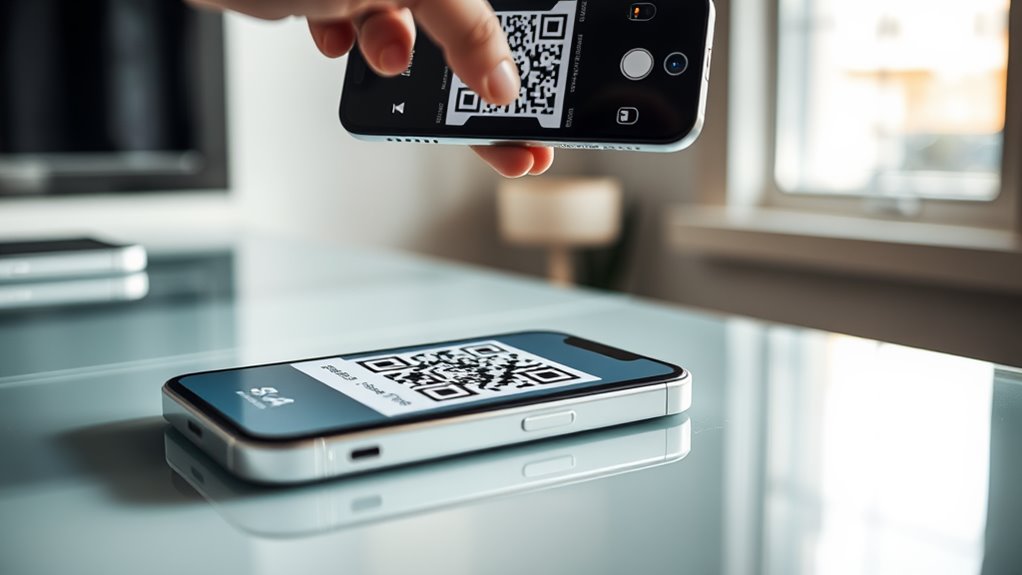
Quick and efficient contact exchange takes on new life through QR code sharing on iPhones. You'll find this feature directly integrated into your device's contact card system, allowing you to generate unique QR codes that instantly share your details.
How to Share Your Contact QR Code:
- Open your Contacts app and tap your personal card
- Select "Share Contact"
- Choose the QR code option
- Display the code for others to scan
Benefits of QR Contact Sharing:
- Eliminates manual entry errors
- Transfers data in under 2 seconds
- Works even without internet connection
- Maintains privacy by sharing only selected information
Best Practices for QR Sharing:
- Customize which details you'd like to share
- Confirm proper lighting for ideal scanning
- Keep your screen brightness at 70% or higher
- Position phones 6-8 inches apart for best results
You can also save shared QR codes for later use by capturing screenshots or saving them directly to your photo library. This method proves particularly useful during networking events, where you'll need to exchange information quickly with multiple contacts.
AirDrop for Business Cards
AirDrop stands out as iPhone's seamless solution for sharing digital business cards between Apple devices. You'll find this feature particularly useful when you're networking at conferences or meeting potential clients, as it allows you to share contact information wirelessly within seconds.
To utilize AirDrop for business card sharing, you'll need to verify both devices have Bluetooth and Wi-Fi enabled. The process integrates smoothly with your iPhone's Contacts app, where you can select and share your contact card with nearby Apple users.
Key advantages of using AirDrop for business cards include:
- Instant transfer speeds with up to 30 feet of range between devices
- End-to-end encryption for secure contact information sharing
- Automatic contact saving in the recipient's address book
When you're ready to share your digital business card via AirDrop, you'll simply open your contact card, tap the share button, and select the nearby recipient from the AirDrop menu. The recipient will receive a notification and can choose to accept your contact information, which will then automatically save to their device's contacts list.
Conclusion
With over 2 billion active iPhone users worldwide, digital business card solutions have become increasingly essential. You'll find multiple built-in options on your iPhone, from iOS 17's NameDrop to Apple Wallet passes, making traditional paper cards nearly obsolete. Whether you choose native features or third-party apps, you're now equipped to share your contact information seamlessly and professionally in today's digital-first business environment.