
Creating an interactive virtual card starts with selecting a user-friendly platform like Canva, Adobe Creative Cloud Express, or Paperless Post. You'll want to design your layout using a grid structure with 20-30% white space, then add engaging elements like hover effects, click actions, and animated backgrounds. For professional results, use 2-3 web-safe fonts (headers at 24-30pt, body text at 14-16pt) and high-resolution graphics optimized for all devices. Once you've customized your text and visuals, distribute your card via email, social media, or SMS – most platforms offer tracking features to monitor engagement rates of up to 75%. The following steps will guide you through each phase of creating your perfect interactive card.
Key Takeaway
- Choose a user-friendly platform like Canva or Adobe Creative Express that matches your technical skills and offers interactive features.
- Design your card layout using the rule of thirds, maintaining 20-30% white space and selecting appropriate typography.
- Add interactive elements such as hover effects, click actions, or animated transitions to engage recipients.
- Customize text and graphics with web-safe fonts and high-resolution images while ensuring mobile responsiveness.
- Share your card via email or social media links, and utilize tracking features to monitor recipient engagement.
Choose Your Virtual Card Platform
Before diving into virtual card creation, selecting the right platform is vital for your success. The market offers several robust options, each with unique features that'll match your specific needs and technical expertise.
Popular Virtual Card Platforms:
- Canva – Best for beginners, offering 250+ card templates and an intuitive drag-and-drop interface
- Adobe Creative Cloud Express – Ideal for professionals, providing advanced design capabilities
- Paperless Post – Specializes in sophisticated event-focused virtual cards
- JibJab – Perfect for humor-oriented cards with animation features
Key Selection Criteria:
- Ease of use: Choose platforms matching your technical skill level
- Interactive features: Look for animation tools, clickable elements, and multimedia support
- Customization options: Verify the platform offers sufficient design flexibility
- Price point: Compare free vs. paid features across platforms
- Integration capabilities: Check compatibility with email and social media sharing
You'll want to test drive your chosen platform's free version before committing to a paid subscription. Most platforms offer trial periods ranging from 7 to 30 days, giving you ample time to explore features and determine the best fit for your virtual card projects.
Design Your Card Layout
Once you've chosen your platform, creating an effective card layout requires careful attention to visual hierarchy and space utilization. You'll need to balance visual elements while maintaining a clean, professional appearance that engages your recipients.
Key Layout Elements to Contemplate:
- Grid Structure: Divide your canvas into thirds horizontally and vertically for ideal element placement
- White Space: Maintain 20-30% empty space to prevent visual clutter
- Typography: Select 2-3 complementary fonts, with headers at 24-30pt and body text at 14-16pt
Content Organization:
- Primary Message: Position your main greeting or headline in the top third
- Visual Elements: Place images, graphics, or animations in the middle section
- Interactive Features: Integrate buttons, links, or hover effects in logical positions
- Call-to-Action: Position response options prominently in the lower third
You'll want to test your layout across different devices, ensuring all elements remain responsive and properly aligned. Think about creating templates for future use, and don't forget to implement your brand's color scheme consistently throughout the design. Remember to save your work frequently as you adjust and refine your layout.
Add Interactive Elements
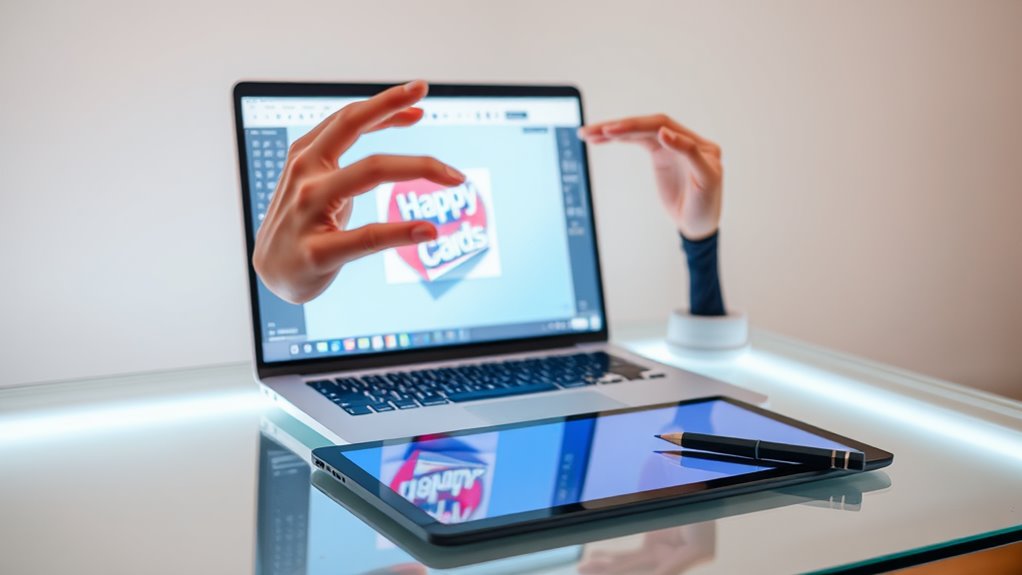
With your card layout established, interactive elements bring your virtual card to life by creating engaging user experiences. You'll want to incorporate features that encourage recipients to explore and interact with your creation.
Key Interactive Elements to Contemplate:
- Hover Effects: Add color changes, scaling, or subtle animations when users mouse over images or text
- Click Actions: Include buttons that reveal hidden messages, trigger animations, or play sounds
- Animated Elements: Implement CSS animations for background patterns, text transitions, or decorative elements
- Form Fields: Add customizable fields where recipients can input their names or personal messages
- Navigation Elements: Create multi-page experiences with swipe gestures or click-through arrows
Implementation Tips:
- Keep load times under 3 seconds by optimizing media files
- Test interactions across different devices and browsers
- Include clear visual cues that indicate interactive areas
- Maintain a hierarchy of importance for interactive elements
- Ponder accessibility features for users with disabilities
You can implement these elements using JavaScript libraries like GreenSock or jQuery, or utilize built-in CSS animations for simpler effects. Remember to maintain a balance between interactivity and usability to guarantee your card remains engaging without becoming overwhelming.
Customize Text and Graphics
Personalizing your virtual card's text and graphics transforms a basic template into a unique creation that reflects your style and message. You'll need to focus on three key customization areas: typography, imagery, and layout composition.
Typography Customization:
- Select from web-safe fonts like Arial, Helvetica, or Open Sans
- Adjust font sizes between 14-24px for body text and 30-48px for headers
- Apply color schemes that maintain a 4.5:1 contrast ratio for readability
Graphics Enhancement:
- Import high-resolution images (minimum 300 DPI)
- Resize graphics to fit within 800x600px dimensions
- Utilize PNG format for graphics requiring transparency
- Compress files to under 2MB for ideal loading
Layout Refinement:
- Position text with 1.5-2.0 line spacing
- Maintain 20-30px margins around content edges
- Create visual hierarchy through size and weight variations
- Align elements using standard grid systems (rule of thirds)
You'll want to test your customizations across different devices, as 68% of virtual cards are now viewed on mobile screens. Remember to save your progress frequently, and export your final design in both static and interactive formats.
Share and Track Delivery
After perfecting your card's design elements, sharing your creation and monitoring its delivery guarantees your message reaches its intended recipients effectively. Modern virtual card platforms offer multiple distribution methods and tracking capabilities to optimize your card's impact.
Distribution Options:
- Direct email delivery with personalized messages
- Shareable links for social media platforms
- SMS text message delivery
- Batch sending for multiple recipients
- Scheduled delivery for future dates
Tracking Features:
- Real-time open notifications
- Click-through analytics
- Interaction metrics (time spent viewing)
- Recipient engagement reports
- Delivery confirmation status
You'll want to utilize your platform's sharing dashboard to manage distribution effectively. Most systems allow you to import contact lists, schedule delivery times, and monitor multiple cards simultaneously. For corporate communications, you can track open rates averaging 65-75%, compared to traditional email's 20-25%.
Pro Tips:
- Test your card's delivery before mass distribution
- Set up delivery reminders for time-sensitive cards
- Use tracking data to optimize future campaigns
- Enable read receipts for important messages
- Export analytics for reporting purposes
Conclusion
Creating your interactive virtual card doesn't have to leave you barking up the wrong tree. You've now learned the essential steps to design and share engaging digital greetings that'll make an impact. By selecting the right platform, incorporating interactive elements, and personalizing your design, you're ready to craft memorable virtual cards that'll stand out in any recipient's inbox. Take these skills and start creating your digital masterpieces today.