
To design a professional business card PDF, you'll need to follow industry-standard dimensions of 3.5 x 2 inches with a 0.125-inch bleed area. Start by selecting appropriate design software like Adobe InDesign or Canva, then create your layout with dedicated zones for contact information (60%) and logo placement (25-30%). Maintain a clean design by limiting your color palette to 2-3 colors and using no more than two typefaces at readable sizes (8-16pt). Export your final design as a PDF/X-1a:2001 file at 300 DPI in CMYK color mode, ensuring all elements fall within safe zones. Understanding these technical specifications is just the beginning of creating impactful business cards.
Key Takeaway
- Set up your document at 3.5 x 2 inches with 0.125-inch bleed and export as PDF/X-1a:2001 for optimal print quality.
- Design in CMYK color mode and maintain 300 DPI resolution to ensure accurate color reproduction and sharp details.
- Keep essential content within the safe zone (0.125 inches from edges) and organize information with clear typography hierarchy.
- Limit your design to 2-3 colors and fonts, leaving 15% white space for professional appearance and readability.
- Include trim marks and verify all elements in a 100% zoom preview before finalizing your PDF export.
Essential Business Card Dimensions
Standard Measurements:
- Width: 3.5 inches (88.9mm)
- Height: 2 inches (50.8mm)
- Bleed area: 0.125 inches (3.175mm) on each side
- Safe zone: 0.125 inches from trim edge
For ideal results, you'll want to maintain these specifications:
Resolution Requirements:
- Minimum resolution: 300 DPI
- Color mode: CMYK
- File format: PDF with embedded fonts
To guarantee your design prints correctly, you'll need to take into account these essential layout zones:
Design Zones:
- Live area: 3.25" x 1.75" (where vital content belongs)
- Margin buffer: 0.25" from card edges
- Background elements: Extend to bleed area
Choose Your Design Software
Professional business card design demands software that can handle precise measurements and export high-quality PDFs. You'll need to select from several industry-standard options that offer the right balance of functionality and ease of use.
Popular Design Software Options:
- Adobe InDesign: The professional's choice, offering superior typography control and precise layout capabilities
- Adobe Illustrator: Ideal for vector-based designs, ensuring your logo stays crisp at any size
- Canva: A user-friendly online platform with templates, perfect if you're new to design
- Affinity Designer: A cost-effective alternative to Adobe products with comparable features
Key Software Requirements:
- Support for CMYK color profiles
- Ability to work with 300 DPI resolution
- PDF export capabilities with trim marks
- Bleed area management tools
- Vector compatibility
When choosing your software, you'll want to evaluate your technical expertise and budget. If you're creating multiple variations or need to make frequent updates, opt for professional tools like InDesign. For simpler designs, Canva's intuitive interface might be sufficient. Remember to verify that your chosen software can export press-ready PDFs that meet your printer's specifications.
Elements of Professional Layout

With your software selected, it's time to focus on creating a layout that commands attention. A professional business card layout relies on several key elements that you'll need to carefully position within the standard 3.5 x 2-inch format.
Essential Layout Elements:
- Contact Information Zone: Reserve 60% of your card's space for name, title, and contact details
- Logo Placement: Position your logo in the upper left or center, using 25-30% of available space
- White Space: Maintain at least 15% margin spacing for visual breathing room
- Typography Hierarchy: Use 2-3 font sizes to create clear information flow
Best Practices:
- Keep text size between 8-12 points for readability
- Align elements to an invisible grid for professional organization
- Include mandatory details: name, company, phone, email, and website
- Consider a bleed area of 0.125 inches if using background colors
You'll want to test your layout by printing samples at actual size before finalizing. Remember to group related information together, and don't overcrowd the space – a cluttered card signals disorganization. Place your most important information where the eye naturally falls first: the center or upper third of the card.
Color and Typography Basics
Smart color and typography choices can make or break your business card design. When selecting your color palette, you'll want to take into account these proven approaches:
- Choose 2-3 colors maximum, with one dominant color representing your brand
- Maintain 60% primary color, 30% secondary, and 10% accent color distribution
- Guarantee sufficient contrast between text and background (minimum 4.5:1 ratio)
Typography Guidelines:
- Select fonts that reflect your industry (serif for traditional, sans-serif for modern)
- Use no more than two typefaces – one for headers, one for body text
- Keep font sizes between 8-12pt for contact details, 12-16pt for name
- Maintain consistent letter spacing and alignment
For best readability in PDF format, you'll need to:
- Convert fonts to outlines before saving
- Use vector-based elements when possible
- Test print your design at actual size (3.5" x 2")
Remember to check your color values in both RGB and CMYK color spaces, as screen display and print results can vary greatly. You'll find that professional printers typically require CMYK format for accurate color reproduction.
Export and Print Settings
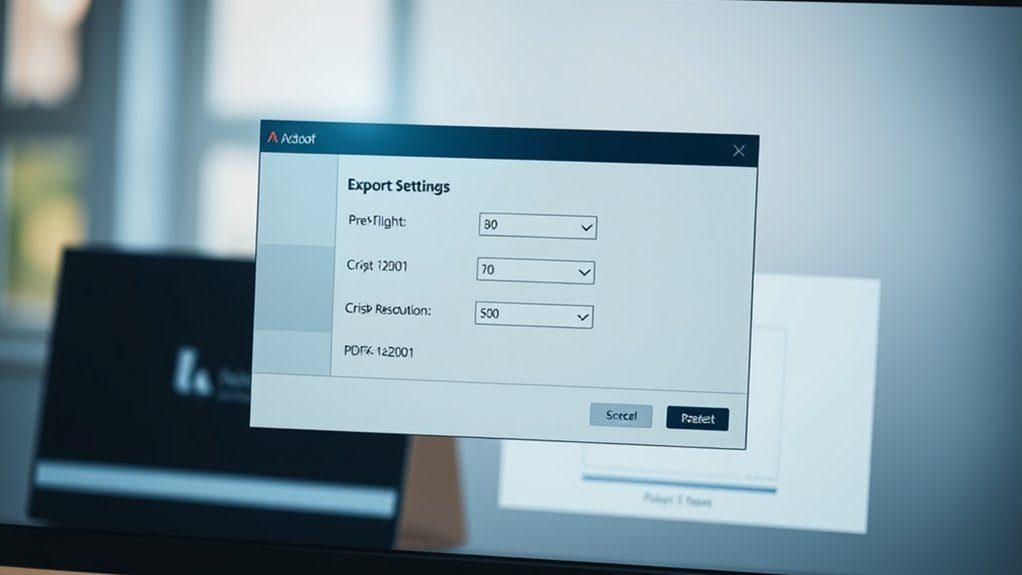
Once you've finalized your business card's design elements, proper export settings assure your PDF maintains quality from screen to print. You'll want to focus on several critical export parameters to achieve professional results.
Export Settings:
- Resolution: Set to 300 DPI minimum for crisp, commercial printing
- Color Mode: Choose CMYK for professional printing or RGB for digital sharing
- Bleed Area: Add 0.125 inches (3mm) beyond the trim edge
- Format: Select PDF/X-1a:2001 for ideal print compatibility
Print-Ready Specifications:
- Convert all fonts to outlines/paths
- Embed all images and graphics
- Enable crop marks and registration marks
- Include document info and printer instructions
- Set transparency flattening to "High Resolution"
Quality Control Steps:
- Preview your PDF at 100% zoom to check text clarity
- Verify all elements are within safe zones
- Run preflight checks to catch potential printing issues
- Test print on standard paper before final production
Remember to save two versions: a high-resolution print file and a smaller web-optimized version for digital sharing. You'll find most commercial printers prefer files under 25MB, so compress accordingly while maintaining quality.
Conclusion
You're now equipped with everything you need to create an absolutely stunning business card PDF that'll make your competitors' cards look like they were designed in the stone age. From precise dimensions to export settings, you've got the complete toolkit to craft a card that's both professional and memorable. Don't wait – fire up your design software and start creating your perfect business card that'll have people begging for your contact information.