
WordPress is a highly effective platform for designing websites, powering 43% of all sites worldwide. You'll benefit from its user-friendly interface that requires minimal coding knowledge, with access to over 59,000 plugins and 8,000 themes for extensive customization options. While WordPress excels in flexibility and SEO-friendliness, you'll need to evaluate potential challenges like regular maintenance, security updates, and performance optimization. The platform's scalability lets you handle anywhere from 100 to 100,000 visitors, making it suitable for both small businesses and large enterprises. Exploring WordPress's features reveals why it remains the leading choice for website development.
Key Takeaway
- WordPress offers extensive design flexibility with over 8,000 themes and 59,000 plugins to customize websites without coding knowledge.
- The visual editor makes website design accessible, handling 80% of design tasks for users with minimal technical expertise.
- WordPress websites are automatically mobile-responsive and SEO-friendly, ensuring optimal viewing across all devices.
- Regular platform updates and a strong community provide ongoing support and resources for website design improvements.
- While WordPress offers design freedom, users should consider potential performance impacts when using multiple plugins or complex themes.
WordPress Design Benefits and Drawbacks
Designing a website with WordPress comes with distinct advantages and limitations you should carefully consider. The platform's versatility allows you to craft everything from basic blogs to complex e-commerce sites while maintaining professional standards.
Key Benefits:
- You'll have access to 59,000+ plugins and 8,000+ themes for extensive customization
- There's no need for coding expertise – the visual editor handles 80% of basic design tasks
- You can scale your site from 100 to 100,000 visitors without changing platforms
- WordPress powers 43% of all websites, ensuring continued support and updates
Notable Limitations:
- You'll experience slower load times compared to static HTML sites
- There's a learning curve with the backend interface and customization options
- You must regularly update plugins to maintain security, which can be time-consuming
- Some premium themes and plugins require additional investment
For ideal results, you'll want to:
- Choose a reliable hosting provider optimized for WordPress
- Keep your plugin count under 20 to maintain site speed
- Implement caching solutions to improve performance
- Regularly backup your site's content and database
- Use child themes to preserve customizations during updates
Security and Performance Considerations
Securing your WordPress website requires constant vigilance, as the platform's popularity makes it a frequent target for cyber attacks. You'll need to implement multiple security layers, including robust passwords, two-factor authentication, and regular security plugin updates.
Key Security Measures:
- Install security plugins like Wordfence or Sucuri
- Keep WordPress core, themes, and plugins updated
- Use SSL certificates for encrypted connections
- Implement regular backup schedules
- Monitor login attempts and block suspicious IPs
Performance Optimization:
- Choose a reliable hosting provider with dedicated WordPress support
- Utilize caching plugins to reduce server load
- Optimize images and media files
- Minimize plugin usage to essential ones only
- Enable content delivery networks (CDNs)
You'll find that WordPress performance largely depends on how well you maintain these elements. Sites with proper optimization can achieve load times under 3 seconds, while neglected sites might take 8+ seconds to load. Remember that every second of delay can result in a 7% reduction in conversions, making performance optimization vital for your site's success.
Consider using managed WordPress hosting services that handle security patches and performance optimization automatically, allowing you to focus on content creation and design.
Cost Analysis of WordPress Development

The costs of WordPress website development can range from minimal to substantial, depending on your specific needs and technical expertise. You'll need to take into account several core expenditures when planning your WordPress website budget.
Essential Cost Components:
- Domain name: $10-20 annually
- Web hosting: $3-50+ monthly
- WordPress theme: $0-200 (one-time)
- Essential plugins: $0-300 annually
- SSL certificate: $0-100 annually
Additional Development Costs:
- Custom theme development: $1,000-10,000
- Professional website design: $500-5,000
- Custom plugin development: $500-5,000
- Maintenance and updates: $50-200 monthly
If you're technically inclined, you can greatly reduce costs by handling the setup and maintenance yourself. However, investing in professional services often proves more cost-effective in the long run, as it helps avoid common pitfalls and security issues.
To optimize your budget, start with a basic setup and gradually upgrade as your needs evolve. Many WordPress functionalities come free with core installation, and you can expand your site's capabilities through a mix of free and premium plugins based on your specific requirements.
Customization and Plugin Flexibility
While considering WordPress costs helps with initial planning, the platform's true value lies in its remarkable customization options and extensive plugin ecosystem. You'll find over 59,000 plugins in the official WordPress repository, allowing you to add virtually any functionality you can imagine to your website.
Customization Capabilities:
- Theme modifications through built-in customizers
- Custom CSS and PHP editing options
- Page builder integration (Elementor, Divi, WPBakker)
- Widget areas for content placement flexibility
- Custom post types and taxonomies
Plugin Advantages:
- E-commerce solutions (WooCommerce powers 28% of online stores)
- SEO tools (Yoast, Rank Math)
- Security enhancements (Wordfence, Sucuri)
- Performance optimization (WP Rocket, W3 Total Cache)
- Form builders (Contact Form 7, Gravity Forms)
You can extend your website's functionality without coding knowledge through these tools. When you need specific features, you'll likely find a plugin that meets your requirements, or you can hire a developer to create custom solutions. WordPress's modular nature means you're never locked into a single configuration, and you can adapt your site as your needs evolve.
Learning Curve and Technical Requirements

Beginners approaching WordPress for the first time will discover a relatively gentle learning curve compared to other content management systems. You'll find that basic website creation requires minimal technical knowledge, and you can start building pages within hours of installation.
To effectively manage your WordPress site, you'll need to understand these core technical requirements:
- Basic hosting requirements include PHP version 7.4 or greater, MySQL version 5.7 or greater, and HTTPS support for security
- Access to cPanel or similar hosting control panel to manage databases and install WordPress
- Understanding of fundamental WordPress elements like themes, plugins, widgets, and the block editor
- Knowledge of basic HTML and CSS for minor customizations, though it's not mandatory
While you don't need to be a programming expert, you'll benefit from familiarizing yourself with WordPress's dashboard interface and essential maintenance tasks. Most hosting providers offer one-click WordPress installations, and you can typically set up a basic site within 30 minutes. As you progress, you'll naturally learn more advanced features through WordPress's extensive documentation and community resources.
SEO and Mobile Responsiveness
Modern websites demand strong SEO capabilities and mobile responsiveness, which WordPress delivers exceptionally well through its core features and extensive plugin ecosystem. You'll find that WordPress's built-in SEO framework automatically generates clean URLs, meta descriptions, and title tags that search engines love.
Key SEO advantages you'll get with WordPress:
- Built-in XML sitemap generation
- Customizable permalink structures
- SEO-optimized HTML markup
- Integration with popular SEO plugins like Yoast and Rank Math
When it comes to mobile responsiveness, WordPress themes now follow a mobile-first approach, ensuring your site looks perfect across all devices. You'll benefit from:
- Automatic image scaling
- Responsive grid layouts
- Touch-friendly navigation
- Accelerated Mobile Pages (AMP) support
Statistics show that 52.2% of global web traffic comes from mobile devices, and WordPress helps you capture this audience effectively. With plugins like WP Mobile Menu and Mobile-Friendly Test, you can optimize your site's performance for smartphones and tablets. Additionally, WordPress's core updates consistently align with Google's mobile-first indexing requirements, helping you maintain strong search rankings across all devices.
WordPress Alternatives Worth Considering
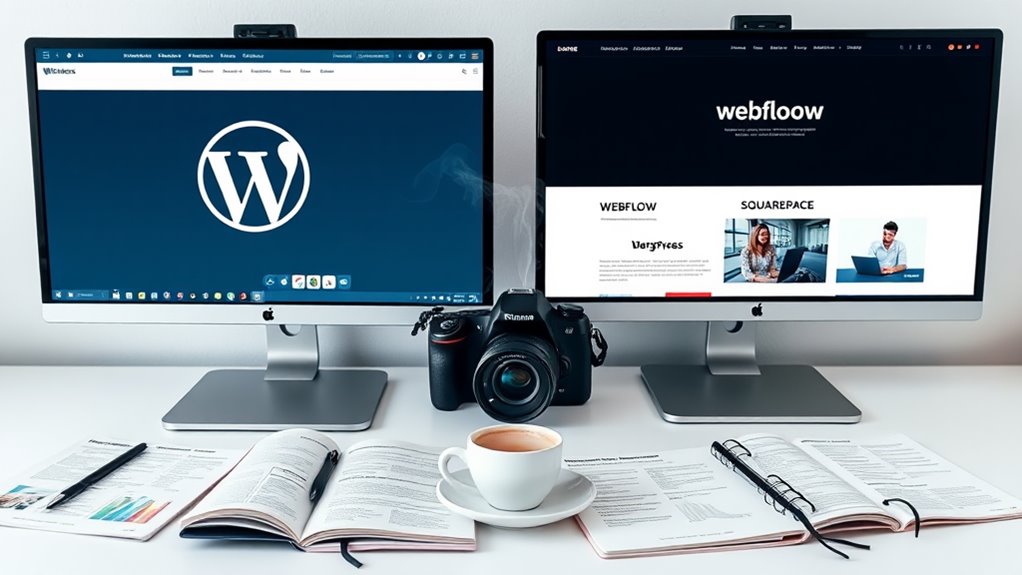
Several popular alternatives to WordPress offer unique advantages for specific website needs. When you're looking for a different platform, you'll find options that might better suit your specific requirements, whether it's simplicity, specialized features, or enhanced security.
Consider these leading WordPress alternatives that have gained significant traction:
- Wix: You'll appreciate its drag-and-drop interface and AI-powered design assistance, making it perfect if you're seeking intuitive website creation with over 800 pre-designed templates
- Squarespace: You'll find this platform ideal for creative professionals, offering sophisticated designs and integrated e-commerce features that work seamlessly with your content
- Webflow: You'll get unprecedented design control with this platform, which combines visual editing with professional-grade coding capabilities
- Ghost: You'll benefit from this platform's focus on professional publishing, offering up to 19x faster performance than WordPress
Each alternative provides distinct advantages depending on your objectives. While WordPress dominates with a 43% market share, these platforms have carved out their niches by addressing specific pain points and offering specialized solutions that might align better with your project requirements.
Conclusion
WordPress stands as your digital Swiss Army knife in website development, offering both robust simplicity and sophisticated potential. While it's not a one-size-fits-all solution, you'll find its blend of customization, SEO-friendliness, and extensive plugin ecosystem makes it a compelling choice for most website projects. Whether you're a novice or seasoned developer, WordPress can scale with your needs, though you'll need to weigh its benefits against your specific requirements and security considerations.