
For commercial printing, PDF is your industry-standard file format, specifically the PDF/X variants (X-1a, X-3, or X-4) that guarantee print-ready compatibility. You'll also commonly use TIFF files for high-resolution images, EPS for vector graphics, and AI files for complex artwork that may need last-minute edits. When preparing your files, you'll need to maintain a minimum resolution of 300 DPI, convert colors to CMYK, and include proper bleeds of 0.125 inches. While PDF remains the most versatile choice, each format serves specific purposes in professional printing workflows. Understanding the technical requirements of these formats will help guarantee your print projects achieve peak results.
Key Takeaway
- PDF is the industry standard format for commercial printing, specifically PDF/X-1a or PDF/X-4 for ensuring print-ready compatibility.
- TIFF files are ideal for high-resolution images in commercial printing, supporting CMYK color space and lossless compression.
- EPS format works best for vector graphics and logos, allowing scalability without quality loss.
- AI (Adobe Illustrator) files are excellent for complex vector designs and maintain editability for last-minute changes.
- All commercial print files should be CMYK color mode, 300 DPI minimum resolution, and include proper bleeds.
Understanding PDF/X File Standards
Common PDF/X Standards:
- PDF/X-1a: You'll use this for CMYK and spot color workflows
- PDF/X-3: Supports RGB and CMYK color spaces
- PDF/X-4: Allows for transparency and layers
- PDF/X-5: Enables external reference workflows
Key Requirements You Must Meet:
- All fonts must be embedded
- Color spaces need to be defined
- Crop and bleed boxes must be specified
- Resolution requirements must be met
- Transparency must be flattened (for X-1a and X-3)
You'll find that PDF/X standards eliminate common printing problems by enforcing these technical specifications. For instance, when you choose PDF/X-1a, you're guaranteed that all RGB images will be converted to CMYK, preventing unexpected color shifts. Modern print workflows typically prefer PDF/X-4, as it maintains transparency and supports both RGB and CMYK color spaces while ensuring compatibility with current printing systems.
Common Commercial Printing Formats
When preparing files for commercial printing, you'll encounter several standard formats that printers commonly accept. The most prevalent formats align with industry standards and guarantee your project maintains quality throughout production.
Common Commercial Printing Formats:
- PDF (Portable Document Format)
- Industry standard for print-ready files
- Supports both vector and raster elements
- Preserves fonts, colors, and layouts consistently
- TIFF (Tagged Image File Format)
- Ideal for high-resolution images
- Supports CMYK color space
- Maintains quality with lossless compression
- EPS (Encapsulated PostScript)
- Perfect for vector graphics and logos
- Scales without quality loss
- Compatible with most design software
- AI (Adobe Illustrator)
- Native format for vector artwork
- Excellent for complex designs
- Maintains editability for last-minute changes
File Requirements:
- Resolution: 300 DPI minimum for images
- Color Mode: CMYK for full-color printing
- Bleed: 0.125 inches (3mm) on all sides
- Format: Outlined text and embedded links
You'll want to confirm specific format requirements with your printer, as some may have unique specifications based on their equipment and workflow.
Color Management in Print Files
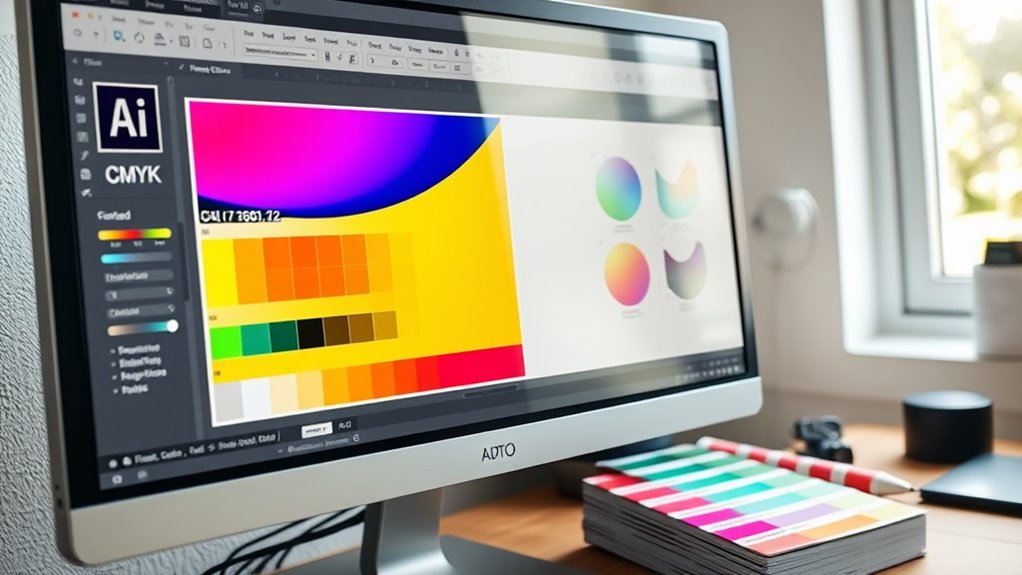
Mastering color management guarantees your printed materials match your digital designs precisely. When preparing files for commercial printing, you'll need to understand how different color spaces work together to achieve consistent results.
Key Color Management Elements:
- Convert RGB files to CMYK before submitting to print
- Use ICC profiles specific to your printer's requirements
- Set color values at 300% or less for total ink coverage
- Maintain consistent color settings across all design applications
Best Practices for Color Accuracy:
- Calibrate your monitor regularly to confirm what you're seeing is accurate
- Save files with embedded color profiles to maintain consistency
- Use Pantone spot colors when exact color matching is essential
- Request printer profiles from your commercial printer
You'll want to perform soft proofing in your design software to preview how CMYK conversion will affect your colors. Most professional printers recommend working in CMYK from the start, as it'll give you better control over the final output. If you're using special colors, make sure to communicate these requirements with your printer and verify they can achieve the desired effects with their equipment.
File Resolution Requirements
Professional print quality hinges on proper file resolution settings. You'll need to understand the critical relationship between DPI (dots per inch) and your final printed output to achieve ideal results.
Recommended Resolution Requirements:
- Photos and raster images: 300 DPI minimum for offset printing
- Line art and vector graphics: 600-1200 DPI for crisp edges
- Large format printing: 100-150 DPI for viewing distances over 6 feet
- Magazine-quality images: 300-350 DPI for premium results
Setting Up Your Files:
- Determine your final print size before establishing resolution
- Maintain resolution integrity by avoiding upscaling low-res images
- Export your files at the correct DPI for your printing method
Keep in mind that higher resolution doesn't always mean better quality. You'll want to balance file size with print requirements – for instance, billboard graphics can use lower resolutions since they're viewed from a distance. When you're working with text, vector formats are your best choice since they'll remain sharp at any size.
Pro tip: Check your resolution early in the design process to avoid costly revisions later. Most commercial printers won't accept files below 300 DPI for standard printing jobs.
Preparing Files for Print

Proper file preparation serves as the cornerstone of successful commercial printing. You'll need to follow specific guidelines to guarantee your files meet professional standards and avoid costly mistakes.
Key File Preparation Steps:
- Convert all RGB images to CMYK color mode
- Embed or outline all fonts
- Set up proper bleed (0.125 inches minimum)
- Include trim marks and color bars
- Save files in compatible formats (PDF/X-1a preferred)
Essential Technical Specifications:
- Resolution: 300 DPI for images
- Line art: 1200 DPI minimum
- Safe margins: 0.25 inches from trim
- File format: Press-ready PDF
You'll want to double-check these critical elements:
- Color consistency across all design elements
- Correct page size and orientation
- Layer flattening when required
- Proper ink coverage (280% maximum)
Before submitting your files, create a preflight checklist to verify:
- All linked images are present
- Black text is set to 100% K
- Document dimensions match specifications
- Transparency effects are properly resolved
Remember to package your files with all necessary components and maintain backup copies of your original documents.
Conclusion
You'll want to use PDF/X files for your commercial printing needs, as they're the industry standard that guarantees color accuracy and proper output. Notably, over 85% of professional print shops specifically request PDF/X-1a or PDF/X-4 formats for their workflows. By maintaining high resolution (300 DPI minimum), proper color profiles, and embedded fonts, you're setting yourself up for successful print runs with minimal errors or costly reprints.