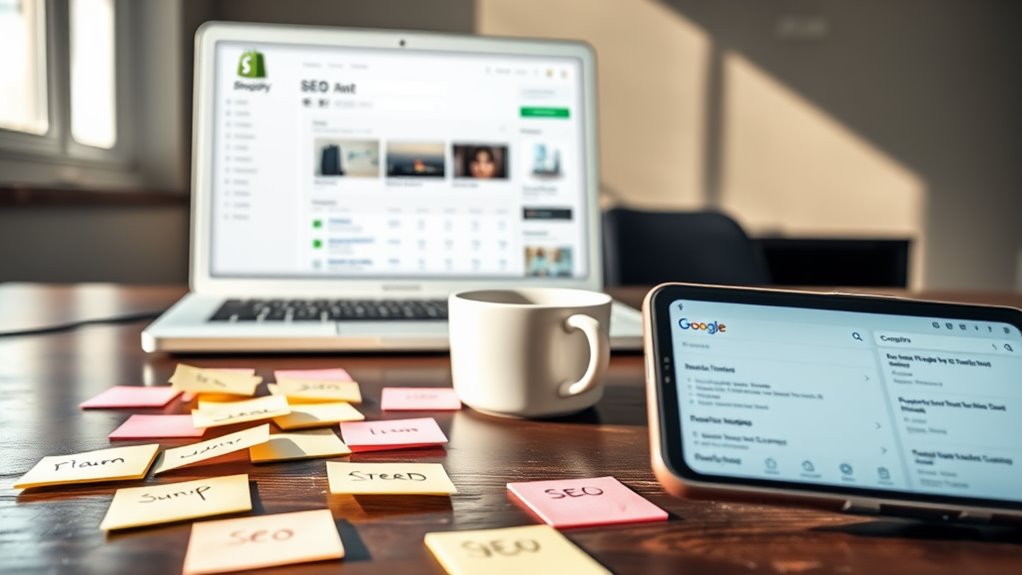
You'll need to strategically place keywords across six main areas of your Shopify store for ideal SEO performance. Start by incorporating your primary keywords within the first 50-60 characters of title tags and crafting compelling meta descriptions of 150-160 characters. On product pages, aim for 2-3% keyword density within 300-500 word descriptions, while your homepage should feature primary keywords in H1 tags with 250-300 words of unique content. Don't forget to optimize navigation menus with keyword-rich category names and include relevant keywords in collection pages and image alt text. Understanding these key placement strategies will reveal your store's full SEO potential.
Key Takeaway
- Place primary keywords within the first 50-60 characters of title tags, following the format "Primary Keyword | Brand Name"
- Include target keywords naturally in meta descriptions (150-160 characters) while maintaining compelling copy and clear value propositions
- Incorporate keywords in product titles, descriptions (2-3% density), and image alt text for comprehensive product page optimization
- Add primary keywords to homepage H1 headlines and use secondary keywords in H2-H4 subheadings throughout content
- Strategically place keywords in navigation menu category names while keeping structure clean with 7-8 main items
Title Tags and Meta Descriptions
Title tags and meta descriptions are two critical SEO elements that directly influence your Shopify store's visibility in search results. These fundamental components serve as your store's first impression in search engine results pages (SERPs), making them essential for driving organic traffic.
For Title Tags:
- Place keywords naturally within the first 50-60 characters
- Format them as: Primary Keyword | Brand Name
- Include your most valuable target keyword near the beginning
- Keep them unique for each page of your store
To optimize meta descriptions:
- Write compelling, action-oriented copy between 150-160 characters
- Include your primary and secondary keywords naturally
- Create a clear value proposition for potential customers
- Incorporate a call-to-action when appropriate
You'll find these settings in Shopify under:
- Admin Panel > Online Store > Preferences (for homepage)
- Individual product pages > Search engine listing preview
- Collections > Edit > Search engine listing preview
Remember to update your title tags and meta descriptions regularly, particularly when launching new products or running seasonal promotions. Monitor their performance through Shopify's analytics to identify which combinations drive the highest click-through rates.
Product Page Content
Key Placement Areas for Keywords:
- Product titles (include main keyword + 1-2 relevant modifiers)
- Product descriptions (aim for 300-500 words with 2-3% keyword density)
- Alt text for product images
- Product features and specifications lists
- FAQ sections below product details
Best Practices for Implementation:
- Write unique descriptions for each product, avoiding manufacturer-provided content
- Include long-tail keyword variations naturally within your content
- Structure content with H2 and H3 tags for better readability
- Add technical specifications using bullet points
- Incorporate user-generated content like reviews
Remember to maintain a natural flow while writing, as search engines can detect keyword stuffing. You'll want to balance optimization with user experience by ensuring your content remains informative and engaging. Focus on addressing customer pain points and providing detailed product information that answers potential buyers' questions directly.
Homepage Text
Your homepage text serves as the cornerstone of your Shopify store's SEO strategy, requiring careful optimization of three essential areas: the main headline (H1), subheadings (H2-H4), and body content.
In your main headline, incorporate your primary keyword naturally while maintaining a compelling value proposition. For example, if you're selling organic skincare, use "Natural Organic Skincare for Sensitive Skin" rather than just "Welcome to Our Store."
For subheadings, strategically place secondary keywords that support your main topic while organizing content logically:
- Benefits and unique selling points
- Featured product categories
- Social proof sections
- Call-to-action areas
Your body content should weave in long-tail keywords naturally while maintaining readability:
- Include location-specific terms if you're targeting local markets
- Aim for 250-300 words of unique homepage content
- Focus on solving customer pain points
- Incorporate LSI (Latent Semantic Indexing) keywords
Remember to update your homepage text periodically, especially when launching new collections or seasonal promotions. Monitor your analytics to identify which keywords drive the most qualified traffic, and adjust your content accordingly.
Navigation Menu Structure
A well-structured navigation menu serves as both a user-friendly guide and an SEO powerhouse for your Shopify store. By strategically incorporating keywords into your menu structure, you'll enhance your site's crawlability while making it easier for customers to find what they need.
Key Elements for Optimized Navigation:
- Use descriptive category names that include primary keywords (e.g., "Women's Athletic Shoes" instead of just "Shoes")
- Limit main menu items to 7-8 categories to prevent overwhelming visitors
- Implement dropdown menus with logical subcategories that incorporate long-tail keywords
- Guarantee menu items are clickable and lead to relevant collection pages
Best Practices for Implementation:
- Structure your menu hierarchically, moving from broad to specific (e.g., Furniture > Living Room > Sofas)
- Include your most important product categories in the main navigation
- Use keyword research to identify how your customers search for products
- Maintain consistent naming conventions across all menu levels
Remember to regularly analyze your navigation's performance through Shopify's analytics, and adjust your menu structure based on user behavior patterns and search trends. This data-driven approach will help you optimize both SEO value and user experience.
Collection Pages

Within Shopify's ecosystem, collection pages serve as essential landing points for both search engines and customers. You'll need to optimize these pages strategically to maximize their SEO potential and drive targeted traffic to your store.
Key Optimization Areas for Collection Pages:
- Collection Title: Include your primary keyword naturally in the H1 heading, guaranteeing it matches your collection handle
- Collection Description: Write unique, keyword-rich descriptions (150-300 words) that incorporate both primary and secondary keywords
- Meta Title: Create unique titles (50-60 characters) that include your target keyword and brand name
- Meta Description: Craft compelling descriptions (150-160 characters) with clear calls-to-action and relevant keywords
Product Organization Tips:
- Group related products logically using tags and automated collections
- Implement custom sorting to showcase your best-selling items first
- Use relevant filter options that match your customers' search intent
You'll want to ascertain your collection URLs maintain a clean structure (e.g., shop.com/collections/category-name) and include relevant breadcrumbs for improved navigation. Remember to update your collection pages regularly with fresh content and seasonal offerings to maintain search engine relevance.
Alt Text for Images
Image alt text stands as one of the most vital yet often overlooked elements of Shopify SEO. This HTML attribute serves two important purposes: improving accessibility for visually impaired users and helping search engines understand your product images.
Key Components of Effective Alt Text:
- Include your target keyword naturally, but don't force it
- Keep descriptions concise (125 characters or less)
- Be specific about what the image shows
- Avoid starting with phrases like "image of" or "picture of"
How to Optimize Your Alt Text:
- Navigate to your Shopify admin panel
- Select the image you want to modify
- Locate the "Alt text" field in the image properties
- Write descriptive text that includes relevant keywords
Example of Poor Alt Text:
"product-blue-dress-1234.jpg"
Example of Good Alt Text:
"Vintage Navy Blue Silk Midi Dress with Lace Trim"
You'll want to guarantee every product image on your site has unique, descriptive alt text. Statistics show that properly optimized alt text can improve your image search visibility by up to 30%, making this an important component of your SEO strategy.
Conclusion
You've now got all the key spots to place your SEO keywords throughout your Shopify store, from your carefully crafted meta descriptions to your product pages' rich content. By strategically implementing keywords across these six essential areas, you'll create a solid foundation for your store's search visibility. Remember, it's not just about placement – it's about creating a seamless, natural experience that serves both search engines and your customers.