
The cost of a WordPress website varies considerably based on your approach. If you're going the DIY route, expect to spend $300-800 in your first year, covering hosting ($3-30/month), domain ($10-15/year), and essential plugins ($50-200/year). For professional design, freelancers typically charge $1,500-$10,000, while agencies range from $5,000-$25,000+ depending on complexity. Basic business websites usually require 20-30 hours of work, while e-commerce sites need 60-100 hours. Your final cost depends on factors like custom design needs, number of pages, and functionality requirements. Let's explore the specific factors that'll impact your website's budget.
Key Takeaway
- Basic WordPress websites typically cost between $500-$2,000, including essential themes, hosting, and basic customization.
- Professional WordPress design services range from $5,000-$25,000 with agencies, while freelancers charge $1,500-$10,000 per project.
- DIY WordPress websites cost $300-$800 in the first year, covering domain, hosting, premium theme, and essential plugins.
- Premium WordPress themes range from $20-$200+, with higher prices offering better features, support, and customization options.
- Hidden costs include annual domain renewal ($10-15), monthly hosting ($5-50), and security features ($50-200 annually).
Cost Factors Affecting WordPress Design
The cost of a WordPress website varies considerably based on several key factors that influence the final price tag. To understand what you'll need to budget, let's examine the primary cost drivers that impact your website investment.
Core Cost Components:
- Theme selection ($0-200): Free themes vs. premium options with advanced features
- Hosting services ($3-200/month): Shared hosting to dedicated server solutions
- Domain name ($10-50/year): Your website's unique web address
- Plugin functionality ($0-1000+): Essential tools for security, SEO, and performance
Design Complexity Factors:
- Custom design work ($500-5000+)
- Number of pages and content volume
- E-commerce integration requirements
- Mobile responsiveness needs
Additional Considerations:
- Development expertise required
- Security features implementation
- Speed optimization requirements
- Content creation services
You'll find that basic WordPress sites typically start around $500, while complex custom solutions can exceed $10,000. Your specific requirements, such as custom functionality, design sophistication, and integration needs, will determine where you fall on this spectrum. Consider prioritizing features that align with your business goals to optimize your investment.
DIY WordPress Website Expenses
Building a WordPress website yourself can markedly reduce your overall costs, though you'll still need to account for essential expenses. When planning your DIY website budget, you'll need to take into account several fundamental components that require investment.
Core DIY Expenses:
- Domain Name: $10-15 annually
- WordPress Hosting: $3-30 monthly
- Premium Theme: $30-100 one-time
- Essential Plugins: $50-200 annually
- SSL Certificate: $0-70 annually
Additional Considerations:
- Image Assets: $0-100 monthly for stock photos
- Performance Optimization Tools: $50-150 annually
- Security Solutions: $50-200 annually
- Backup Services: $50-150 annually
You'll find that your first-year expenses typically range from $300-800 for a basic DIY WordPress site, depending on your chosen features and service levels. While you're saving on design and development fees, you'll need to invest time in learning the platform and maintaining your site. Take into account setting aside 15-20 hours for initial setup and 2-3 hours monthly for maintenance tasks, including updates, backups, and content management.
Pre-Made Theme Price Options

When considering WordPress themes for your site, you'll find several distinct pricing tiers that fit different budgets and needs. The marketplace offers everything from free themes to premium options, with most paid themes ranging from $30 to $200.
Theme Price Categories:
- Free Themes: Available through WordPress.org's directory, offering basic functionality and limited customization
- Budget Premium ($20-$50): Entry-level paid themes with improved features and regular updates
- Mid-Range ($51-$100): Professional themes with advanced customization options and dedicated support
- Premium ($101-$200+): Enterprise-level themes with extensive features, priority support, and regular updates
What You'll Get at Each Level:
- Free: Basic layouts, standard features, community support
- Budget Premium: Responsive design, basic page builders, 6-month support
- Mid-Range: Advanced customization tools, 1-year support, premium plugins included
- Premium: Visual composers, lifetime updates, priority support, multiple license options
Your choice should align with your project's scope and long-term goals. Premium themes typically offer better code quality, security updates, and documentation, while free options work well for simpler projects with minimal customization needs.
Professional WordPress Designer Rates
Entry-Level Designers:
- $50-75 per hour
- 1-3 years of experience
- Basic customization and setup
- Template modifications
Mid-Level Professionals:
- $75-125 per hour
- 3-7 years of experience
- Custom functionality
- Advanced theme development
- Plugin integration
Senior Designers:
- $125-200+ per hour
- 7+ years of experience
- Full-scale custom solutions
- Complex e-commerce integration
- Security implementation
You'll need to factor in project scope when budgeting for a designer. A basic business website might require 20-30 hours of work, while an advanced e-commerce site could take 60-100 hours to complete. Many designers also offer package deals, where you'll find fixed pricing for specific deliverables, such as $2,500 for a five-page business website or $5,000 for a basic e-commerce setup.
Agency Vs Freelancer Pricing
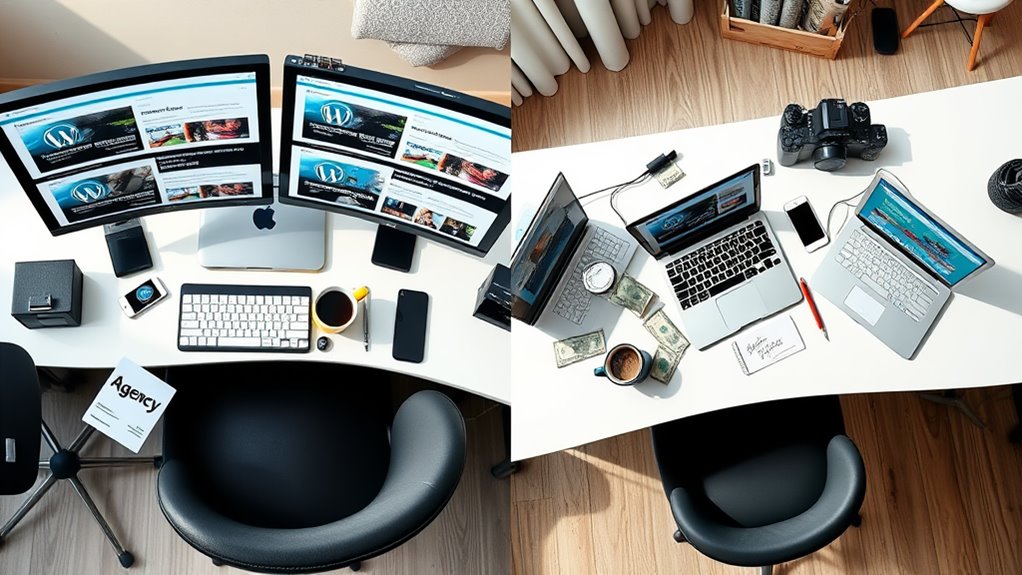
A key decision you'll face when hiring WordPress talent is choosing between an agency and a freelancer. Each option comes with distinct pricing structures and service levels that can greatly impact your project's outcome.
Agency Pricing:
- Average cost range: $5,000 – $25,000+ per website
- Higher overhead costs reflected in pricing
- Extensive service packages including strategy, design, and maintenance
- Built-in redundancy with multiple team members
- More structured project management systems
Freelancer Pricing:
- Average cost range: $1,500 – $10,000 per website
- Lower overhead costs mean more competitive rates
- Typically more flexible with pricing and project scope
- Direct communication with your designer
- Potential for more personalized attention
Key Considerations:
- Agencies offer broader skill sets but at premium prices
- Freelancers provide cost savings but may have limited availability
- Project complexity often determines the better choice
- Agencies generally handle larger projects more efficiently
- Freelancers excel at smaller, focused projects
You'll need to weigh these factors against your budget, timeline, and project requirements to make the most cost-effective choice for your WordPress website.
Hidden WordPress Website Costs
Beyond the initial design and development fees, many WordPress website costs remain hidden until they surface during or after the project. You'll need to account for these ongoing expenses to maintain a successful website and prevent unexpected financial surprises.
Essential Hidden Costs to Take into Account:
- Domain Registration: $10-15 annually, with premium domains potentially costing hundreds
- Web Hosting: $5-50 monthly, depending on traffic and resource needs
- SSL Certificate: $0-200 annually, vital for security and SEO
- Theme Updates: $30-100 annually for premium theme licenses
- Plugin Subscriptions: $150-500 yearly for essential premium plugins
- Maintenance Services: $50-200 monthly for updates, backups, and security
- Content Updates: $100-500 monthly if you're hiring content creators
- Performance Optimization: $200-1000 annually for speed improvements
You'll also want to budget for unexpected costs like:
- Security breach recovery ($500-2000 per incident)
- Custom feature development ($500-5000 per feature)
- Design refreshes every 2-3 years ($1000-3000)
- Emergency support ($100-300 per incident)
Take these hidden costs into account when planning your website budget to guarantee long-term sustainability and avoid financial strain.
Cost-Saving Website Design Tips

Smart website owners can greatly reduce their WordPress development costs without sacrificing quality. By implementing strategic cost-saving measures, you'll maximize your website's value while maintaining professional standards.
Key Money-Saving Strategies:
- Choose premium themes ($50-100) instead of custom designs ($3,000+)
- Learn basic maintenance tasks through free WordPress tutorials
- Optimize images yourself using tools like TinyPNG
- Start with essential plugins only, adding others as needed
- Use affordable managed hosting ($20-30/month) instead of premium options
DIY Cost-Reduction Techniques:
- Write your own content rather than hiring copywriters
- Create simple logos using Canva or similar free design tools
- Handle basic SEO tasks through free plugins like Yoast
- Maintain regular backups using automated solutions
- Purchase domain names during promotional periods
Advanced Cost Management:
- Join WordPress communities for free technical support
- Use staging environments to prevent costly mistakes
- Implement caching solutions to reduce hosting needs
- Choose annual payment plans for better pricing
- Start with a minimal viable product (MVP) and scale gradually
Remember to balance cost-cutting with quality, ensuring your website remains professional and functional while keeping expenses manageable.
Conclusion
Charting WordPress website costs is like plotting a course through varied terrain – you'll find paths for every budget and skill level. Whether you're scaling the DIY mountain ($200-500), cruising the pre-made theme highway ($500-2,000), or taking the professional design expressway ($2,000-10,000+), you've got options. Remember to factor in those hidden costs lurking beneath the surface, and you'll be well-equipped to make the right investment for your digital presence.